The Environmental Conditions Sensor for Intelligent Hardwood Flooring
You are currently viewing a placeholder content from YouTube. To access the actual content, click the button below. Please note that doing so will share data with third-party providers.
More InformationThe Fidbox ®

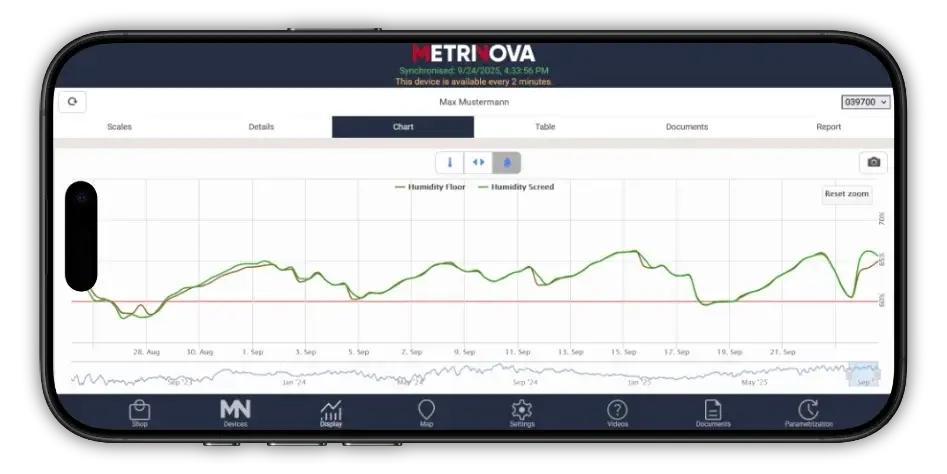
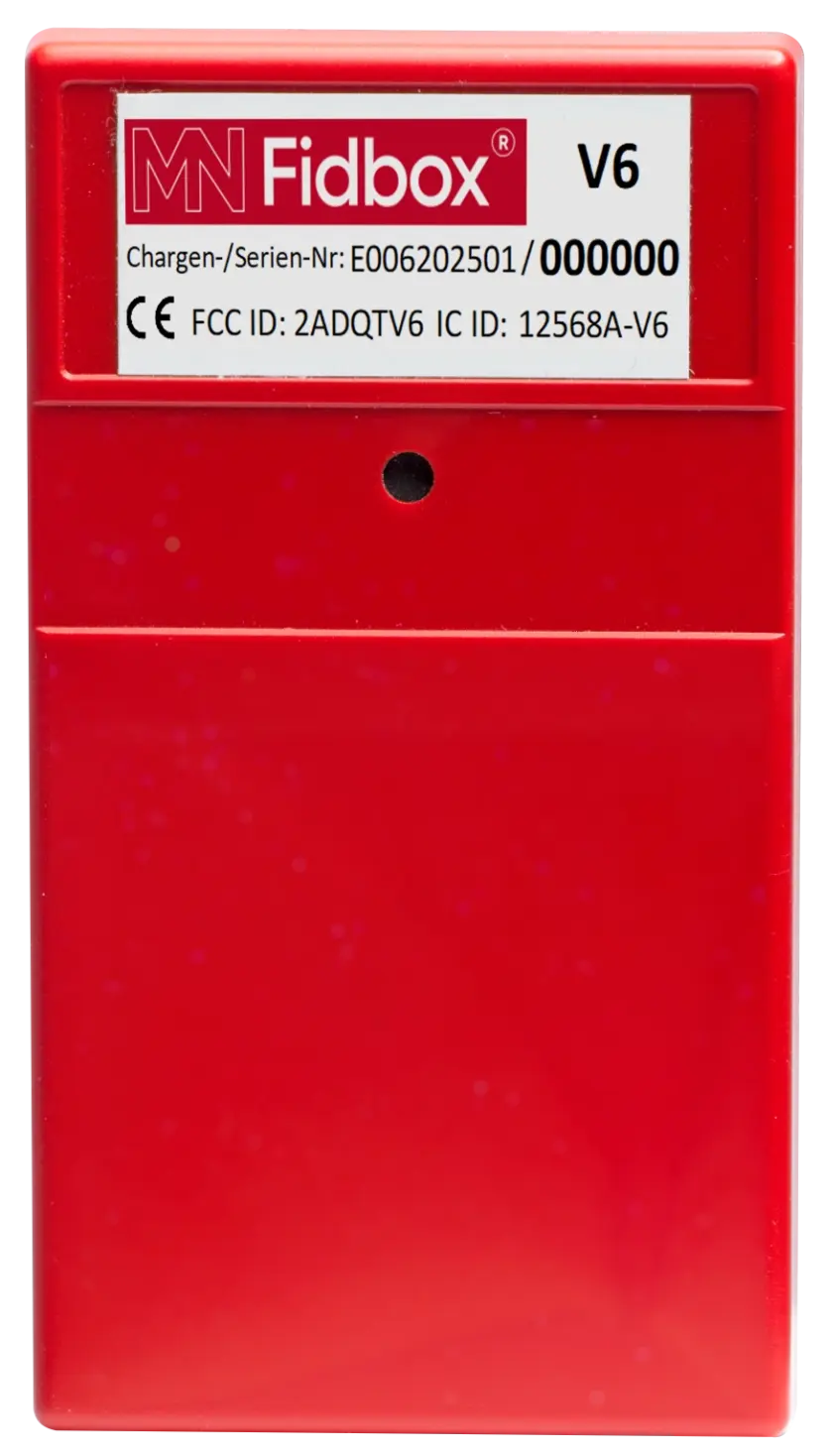
Fidbox® is a environmental conditions sensor for temperature (°C) and relative humidity (%), equipped with two integrated sensors. Installed beneath the hardwood flooring, it records all relevant environmental conditions data of both the wood and the subfloor every eight hours.
Sensor 1
Measurement in Wood
In the cavity above the Fidbox®, Sensor 1 measures the CRH (corresponding relative humidity) of the wood – in other words, the material environmental conditions of the flooring.
Because wood is a hygroscopic material that naturally adapts to ambient humidity levels, Sensor 1 also reflects the relative humidity of the rooms environment.
Sensor 2
Subfloor Environmental Conditions Monitoring (e.g., Screed)
In the cavity below the Fidbox®, Sensor 2 measures and stores the CRH (corresponding relative humidity) and the surface temperature of the screed – the subfloor material environmental conditions.
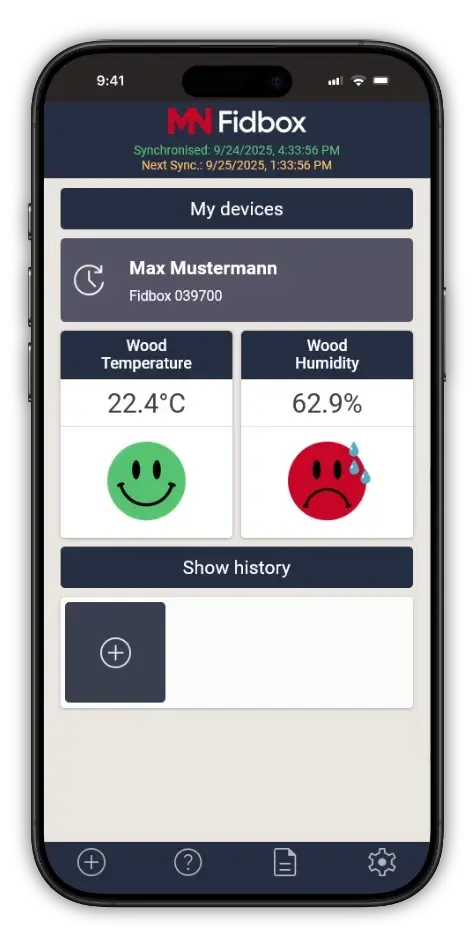
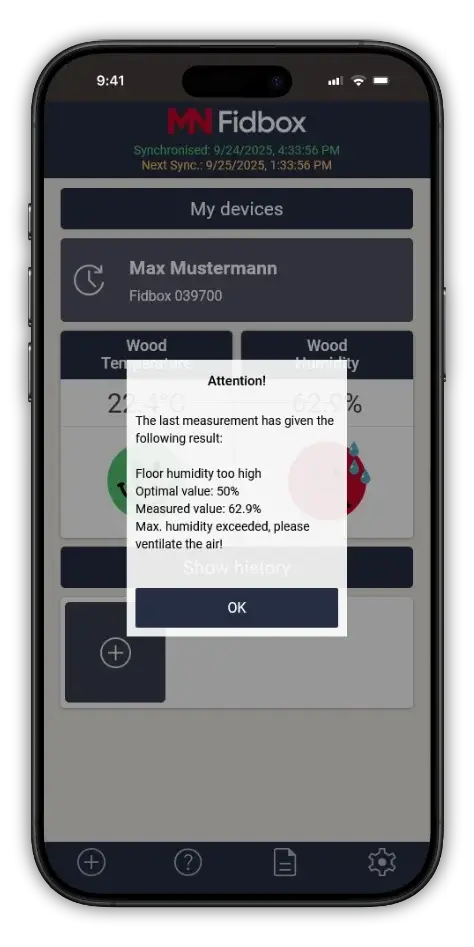
The recorded data can be accessed at any time via Bluetooth using the dedicated Fidbox® App on a smartphone.
Fields of Application
Fidbox® delivers measurable benefits for property owners, developers, and occupants alike.
Anyone investing in real estate expects materials and finishes to perform reliably for many years.
From an ecological, economic, and health perspective, Fidbox® acts as a compact, interactive safety system – protecting all parties involved.
The Benefits of the MN Fidbox®
- Reduces unnecessary and unjustified complaints
- Clear facts instead of subjective opinions.
- Builds trust and transparency.
- Ensures that everyone involved works carefully and helps prevent problems before they arise.
- Protects your investment.
- Easy to read, install, and set up.
The Product
The Sensor
Fidbox® is a environmental condition sensor for temperature (°C) and relative humidity (%), equipped with two integrated sensors. Installed on the underside of the hardwood flooring, it records all relevant environmental data of the wood and the subfloor every eight hours.
Benefits for End Customers
Wood is a “living” natural material that moves and breathes – and a new hardwood floor does the same.
To ensure your customers feel comfortable in their living spaces – the most important place for well-being, safety, and health – we have developed the intelligent parquet flooring system for you and your customers.
- Creates a healthier room environmental condition
- Extends the lifespan of your hardwood flooring
- Helps optimize heating efficiency
- Information for Smartphone and Tablet Users
Distribution Partners
For inquiries, please contact the authorized distribution partner in your respective country.
If no partner is listed for your region, please contact us directly at: office@metrinova.com
Bulgaria
Pako Parkett
Kaleytsa,
60 Vasil Vatev str.
www.pakoparquet.com
Germany
Metrinova GmbH
Waldgasse 2
A-2700 Wiener Neustadt
www.metrinova.com
United Kingdom & Ireland
Humidity Devices
Eggshell Barn, Sleaford Road
Wellingore Lincolnshire LN5 0HS www.humiditydevices.co.uk
Netherlands / Belgium / Luxembourg
Floor Protector NL
Torenmolen 11
7587 RN De Lutte
www.floorprotector.nl
Norway
Nordby Gulv AS
Mellomila 91C
7018 Trondheim
www.nordby.no
Austria
Metrinova GmbH
Waldgasse 2
A-2700 Wiener Neustadt
www.metrinova.com
USA & Canada
Fidbox LLC
PO BOX 26322
Wauwatosa, WI 53226
www.fidbox.net
Video Tutorials
You are currently viewing a placeholder content from YouTube. To access the actual content, click the button below. Please note that doing so will share data with third-party providers.
More InformationAdd a Fidbox
You are currently viewing a placeholder content from YouTube. To access the actual content, click the button below. Please note that doing so will share data with third-party providers.
More InformationAutomatic Synchronization
You are currently viewing a placeholder content from YouTube. To access the actual content, click the button below. Please note that doing so will share data with third-party providers.
More InformationManual Synchronization
You are currently viewing a placeholder content from YouTube. To access the actual content, click the button below. Please note that doing so will share data with third-party providers.
More InformationShare Data
You are currently viewing a placeholder content from YouTube. To access the actual content, click the button below. Please note that doing so will share data with third-party providers.
More InformationChange of Ownership
You are currently viewing a placeholder content from YouTube. To access the actual content, click the button below. Please note that doing so will share data with third-party providers.
More InformationSearch for Fidbox without knowing the serial number
FAQ
What is the maximum distance for establishing a Bluetooth connection?
Indoors, the Bluetooth range is approximately 8 meters (26 feet). You should remain within this distance of the device to ensure a stable connection.
Can multiple people within the same household use the same account?
Yes. The account can be used on multiple devices simultaneously. However, data synchronization should not be performed at the same time from different devices.
Can I share my Fidbox® measurement data with someone else?
Yes. You can share measurement data with another user account.
Go to the settings of your Fidbox® (the small edit icon next to the serial number) and scroll down to “Share Measurement Data.”
Does the Wi-Fi network affect synchronization?
No. The type of internet connection is not relevant. You only need an active internet connection to synchronize data.
How long is measurement data stored?
Measurement data are stored in our database indefinitely. We do not delete recorded data.
The app/software says an email was sent during registration, but I haven’t received anything. What should I do?
Please check your spam or junk folder first. If you still cannot find the email, verify that the address was entered correctly and repeat the registration process if necessary.
How can I retrieve the measurement data from my Fidbox®?
You can synchronize the measurement data in two different ways:
1) Using our mobile Fidbox® App – available free of charge in the respective app store.
2) Using our paid Desktop Professional Software on your PC or Mac. A USB Bluetooth dongle is required for this option.
When can I retrieve the measurement data from my Fidbox®?
To enable successful synchronization, the Fidbox® must be “awake” and within Bluetooth range of the smartphone logged into the user account. To ensure a battery life of up to 6 years, the Fidbox® enters sleep mode at certain times depending on the version and selected operating mode.
You can always check the next possible synchronization time in the app by selecting the desired Fidbox®. The last synchronization time is shown in green, while the next available synchronization time appears in orange.
To conserve battery life, data can only be retrieved once per day.
Why do I see measurement data from a time before I owned the Fidbox®?
Fidbox® begins recording from the moment it is initialized at the factory – not only after installation in the floor. It documents environmental conditions throughout its entire lifecycle.
If required, this data recording can be deactivated upon request through Metrinova.
Downloads
General Information